How to set up voicemail — and what to actually say.
Set up voicemail on Android or iPhone in under a minute. Plus how to make your phone ring longer first, and the one line that saves days of phone tag.
The fastest way to set up voicemail on any phone: open the keypad and press and hold the 1 key. That dials your carrier’s voicemail system, and it walks you through the setup.
The first time, it asks you to pick a PIN and record a greeting. After that, the same shortcut plays your messages.
Setting it up on Android
Press and hold 1 on the keypad, or open Phone → three dots → Settings → Voicemail.
From there:
- Tap Voicemail number if it’s empty — your carrier fills this in automatically on most plans.
- Follow the spoken menu to set a PIN.
- Choose between the default greeting and recording your own.
Samsung, Pixel and most other Android phones use the same menu, though the wording shifts slightly between manufacturers. If Voicemail isn’t in Settings, the press-and-hold shortcut always works.
Setting it up on an iPhone
Since iOS 26 the Phone app has a new layout, and Voicemail is no longer a tab along the bottom.
- New layout: open Phone → tap the three-line menu in the top right → Voicemail.
- Classic layout: that same menu lets you switch back to the old design, which restores Favourites, Recents, Contacts, Keypad and Voicemail as tabs along the bottom.
Then tap Set Up Now, choose a password, and pick either the default greeting or a custom recording.
If you don’t see that button, your carrier doesn’t support visual voicemail on your plan. Press and hold 1 instead — it does the same job through the spoken menu.
Making your phone ring longer
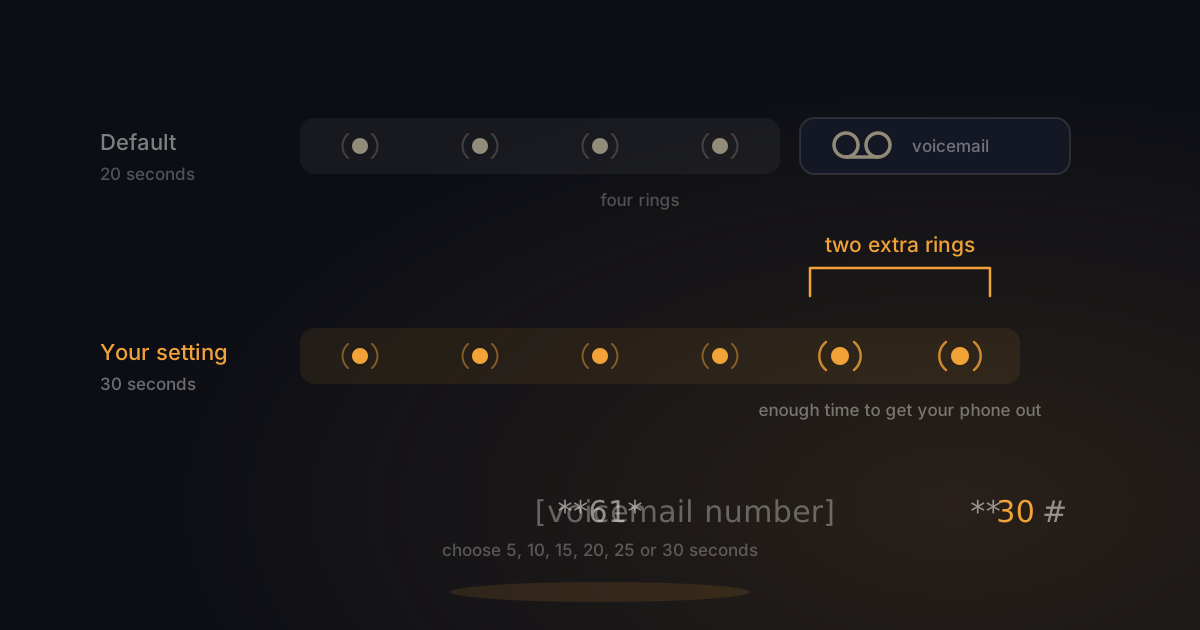
By default your phone rings for around 20 seconds before voicemail takes over. If your phone lives in a bag or a coat pocket, that’s often just short of enough — and you end up with a message you could have taken yourself.
You can change it. Voicemail is a call forward your carrier set up for you in advance, and that forward has a timer attached:
**61*[your voicemail number]**30#Those last two digits are seconds. Your options are 5, 10, 15, 20, 25 or 30; the network rejects anything else. One ring is roughly five seconds, so 30 seconds is about six rings.
Thirty is the maximum and the better choice for most people. You gain two rings over the default, and those are exactly the rings during which you can still get your phone out.
If the code doesn’t take, your carrier has the forward locked at their end — ask their support to change it. More on how these forwards work in our piece on call forwarding codes.
The line that saves days of phone tag
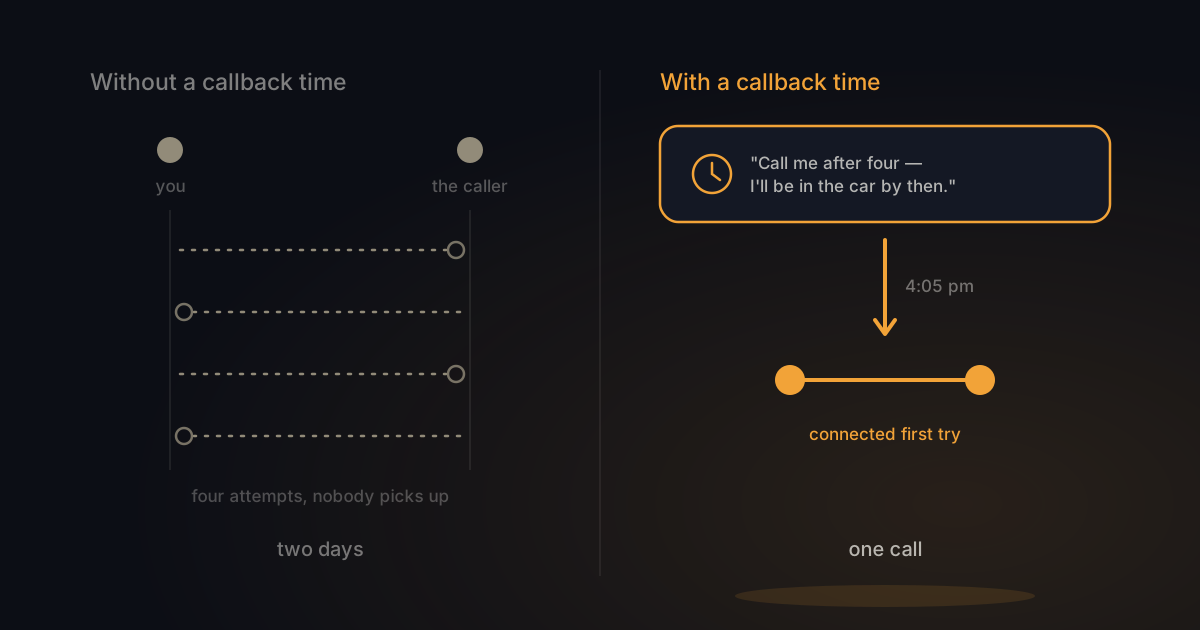
The default greeting asks for nothing. “Leave a message after the tone” gets you a name and a number, and that’s it. So you call back. They don’t pick up. They call you. You’re on another call. Two days later you still haven’t spoken.
So don’t ask what someone is calling about. Ask when you can reach them.
What it’s about you’ll find out the moment you speak. What you won’t find out on your own is when that person actually answers their phone — and that’s what causes the back-and-forth.
A greeting that does it:
“You’ve reached Noah. I can’t pick up right now. Leave your name and tell me when I can reach you today, and I’ll call you back then.”
Three sentences, and your next attempt lands.
Beyond that: keep it under fifteen seconds, record it somewhere quiet, and call yourself once to hear how it sounds. For more options, there are five written-out greetings in this piece.
Listening to messages
Press and hold 1 and you’ll hear how many new messages are waiting. They play one after another.
On an iPhone with visual voicemail they appear as a list in the Phone app, so you can play them in any order. That saves time when several are queued up.
Frequently asked questions
How do I get a notification when someone leaves a voicemail?
Notifications come from your carrier rather than your phone, usually as a text message when a message is waiting. If you’re not getting them, check the notification settings in your carrier’s app — it’s a separate setting from your phone’s own alerts.
Does setting up voicemail cost anything?
No. Calling your own voicemail is free on nearly every plan. Listening to messages is usually free too, though roaming charges can apply when you’re abroad.
Why can’t I hear my own greeting when I call myself?
Because calling from your own number routes you into the voicemail menu rather than to your mailbox. Ask someone else to call you, or use a second phone, to hear what your callers hear.
Does my greeting survive if I switch carriers?
No. Your mailbox lives with your carrier, not on your phone. After a switch you start on the default greeting and record a new one.
Can I turn voicemail off instead of setting it up?
Yes, and it’s reversible on every carrier. How that works is in turning voicemail off.
In short
- Press and hold 1 to reach voicemail setup on any phone, Android or iPhone.
- Since iOS 26, Voicemail sits under the top-right menu in the Phone app, not along the bottom.
**61*[voicemail number]**30#makes your phone ring longer — up to thirty seconds.- In your greeting, ask when you can reach the caller, not what it’s about.
- Keep it under fifteen seconds and record it somewhere quiet.
And if you never listen to those messages anyway? Switch BeepSweep on → You keep your own number, and missed calls arrive as readable text in WhatsApp. From €25 a month, with no per-call charges. Missed the call, not the message.